
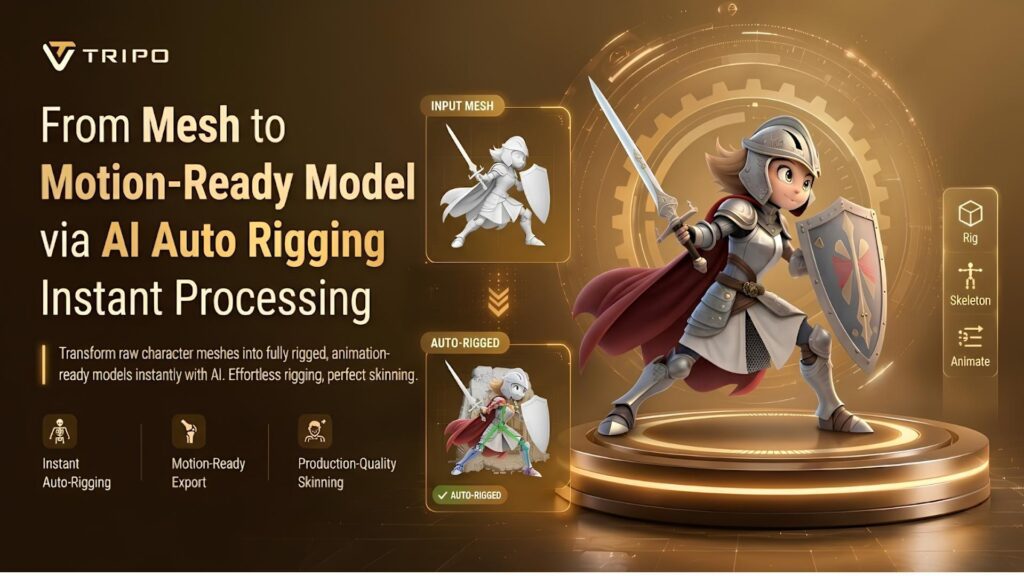
Static 3D meshes are frequently restricted and cannot be animated. Careful rig preparation is needed before motion is put into the character pipelines. The transformation is made easier with the intelligent automation features of Tripo 3D. The platform transforms uploaded resources into animated structures, ready for use in no time. AI-powered systems minimize manual setup and drastically cut down production time. This workflow enables creators to concentrate more on design and storytelling.
Understanding the Mesh-to-Animation Pipeline
The first step of character creation is a clean polygonal mesh created with modeling tools. This mesh should be able to move, not lose surface structure, and deform. Skeleton generation determines the effect of joints on the movement of the model. Skin binding connects the geometry to bones, helping create more natural deformation during animation. Animation testing is used to check the quality of the animation before it’s exported to external tools.
The pipeline typically involves several manual adjustments that can slow down the workflow. The artists iteratively improve weights, joints, and hierarchy structures. This can be particularly complicated when converting 2d to 3d assets. Tripo 3D introduces structured automation to minimize rig setup tasks. The system is more efficient in the overall preparation of assets for animation with fewer technical interruptions.
How AI Auto Rigging Accelerates Character Preparation
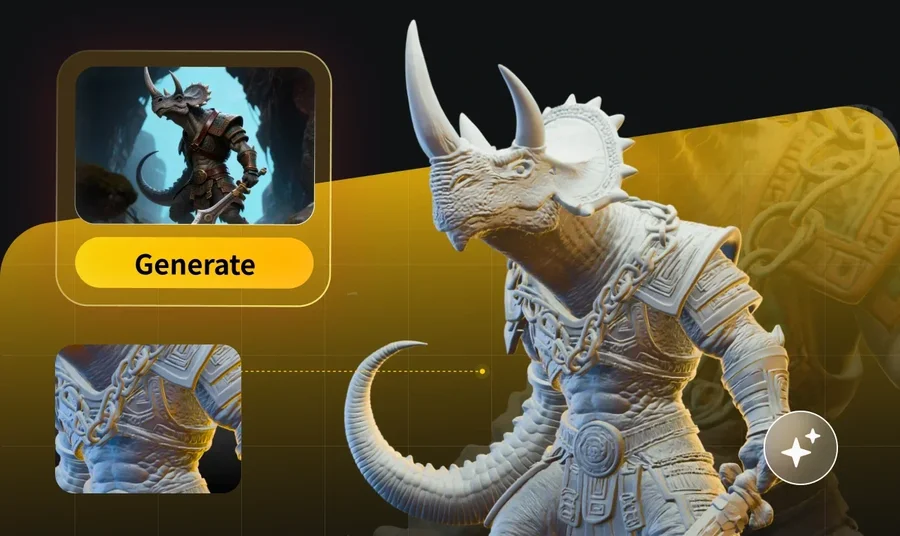
The mesh structure can be understood efficiently by intelligent automation, which is advantageous to the modern workflow. Tripo 3D’s new auto rigging systems analyze geometry and identify articulation points. The system is one of bones and joints being assigned based on shape and symmetry patterns. Skinning calculation assigns the weight values to the vertices that have balanced deformation behavior.
Uploaded models will automatically be transferred into rigged states for faster processing. The work of skeleton building and weight painting is greatly reduced. Several character types are available for animating earlier. This speed allows to speed up the game and film asset creation process. Artists can experiment with variations without having to re-create rigs over and over again.
What Happens During Instant Processing
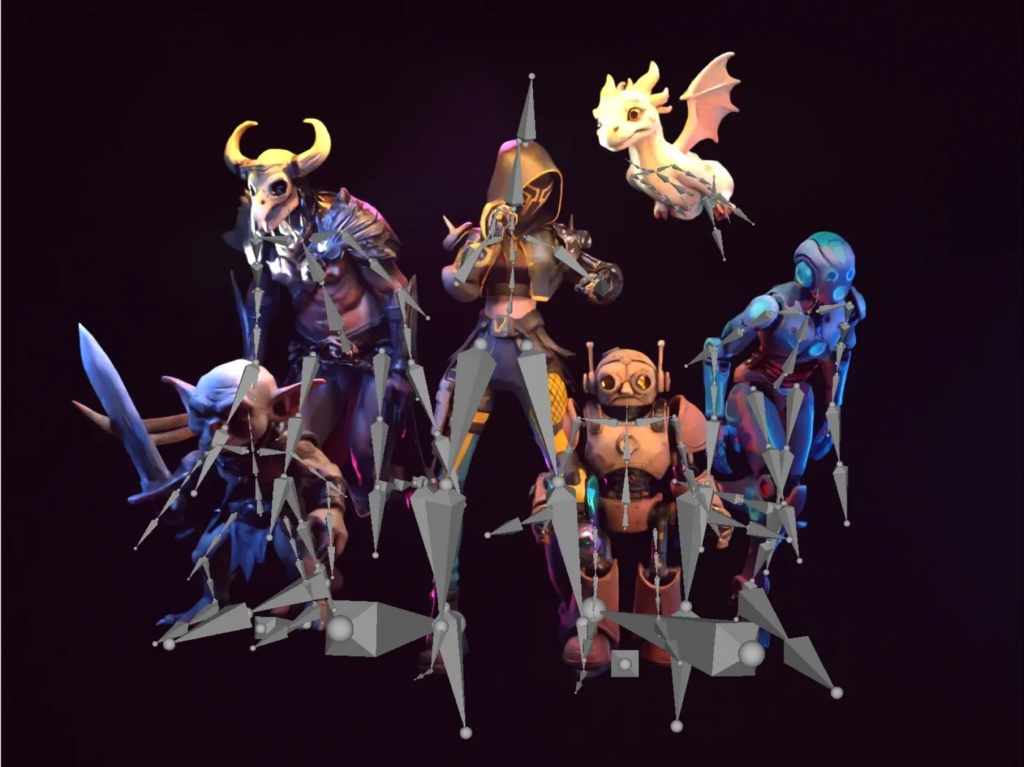
Once the mesh topology is uploaded to Tripo 3D, instant processing starts, and the system is able to identify limbs, body shape, and proportion in geometry. Anatomical or mechanical structures are predicted, and bones are placed accordingly, based on the type of character. The hierarchy of skeletons is automatically built based on parent-child joint relationships.
Skin weights are computed around the surface vertices with AI distribution models. Internal deformation testing is performed to help improve movement stability, depending on input quality and settings. Structural validation is the final step in the processing stages that lead to rigs ready for animation. This sequence enables a quick transform from static assets to dynamic models. Output can be used in most animation pipelines and engines.
Steps to Turn a Mesh into a Motion-Ready Model
Step 1: Prepare and upload the mesh
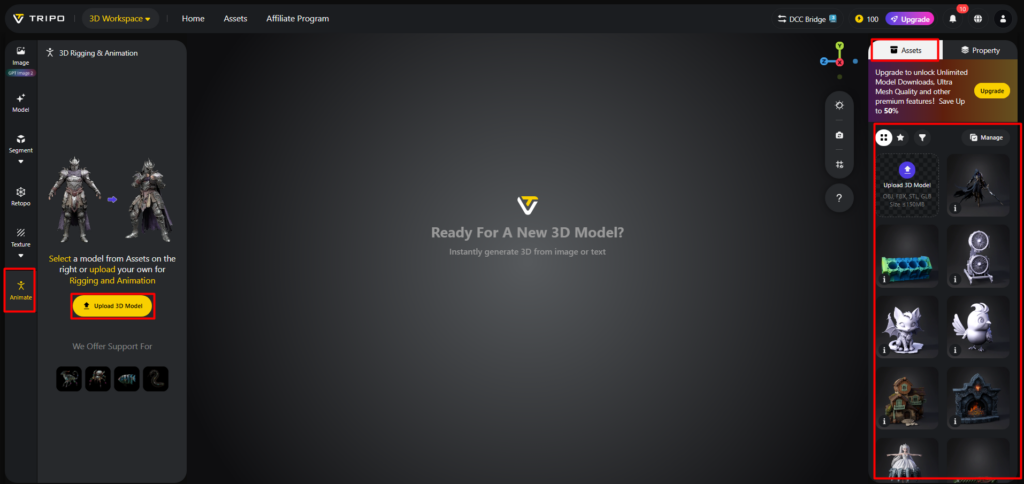
- First, you need to access Tripo 3D and signup. Next, go to the “Animate” tab present in the vertical left menu bar.
- Next, upload the model by clicking “Upload 3D Model” or select an existing model from the assets menu present on the extreme right vertical menu.
Step 2: Process the mesh with AI rigging
- Choose the model from the “AI Model” menu. Model v2.5 is good for animals, and model v1.0 is good for Humanoid. Select anyone depending on your needs.
- After selecting the model, click on the “Auto Rig” tab. The tool starts the rigging process. Make sure your model is textured before you rig.
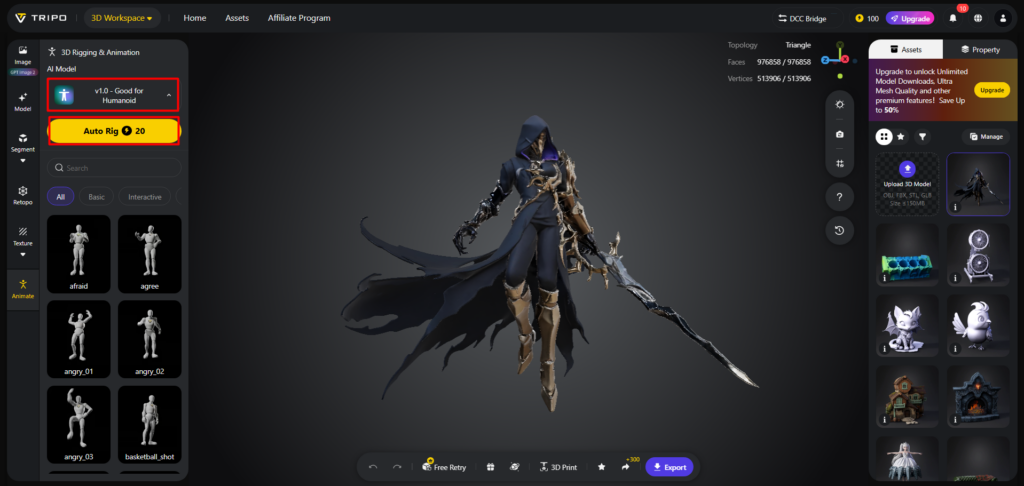
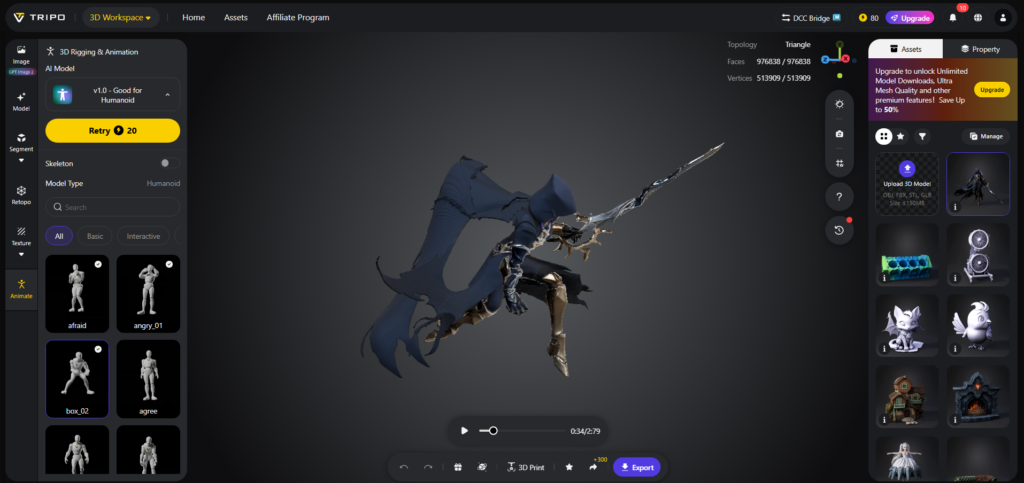
- Next, select the animation style from the menu presented below. You can choose “afraid”, “agree”, “angry”, “clap”, “climb”, “cry”, “dance”, etc.
- The selected animation will be applied within a few seconds.
Step 3: Optimize and export the animated asset
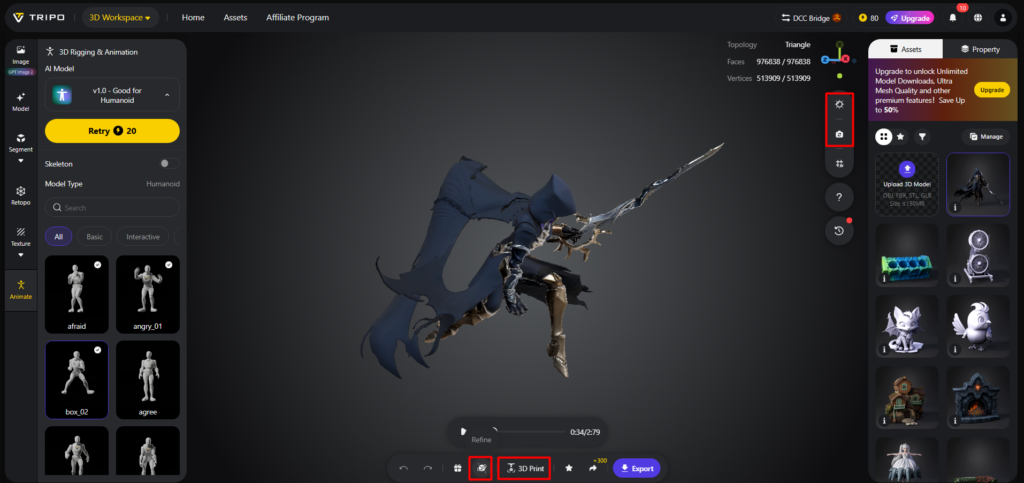
- You can also edit the “Environment Settings” and camera settings through “Reset Camera”.
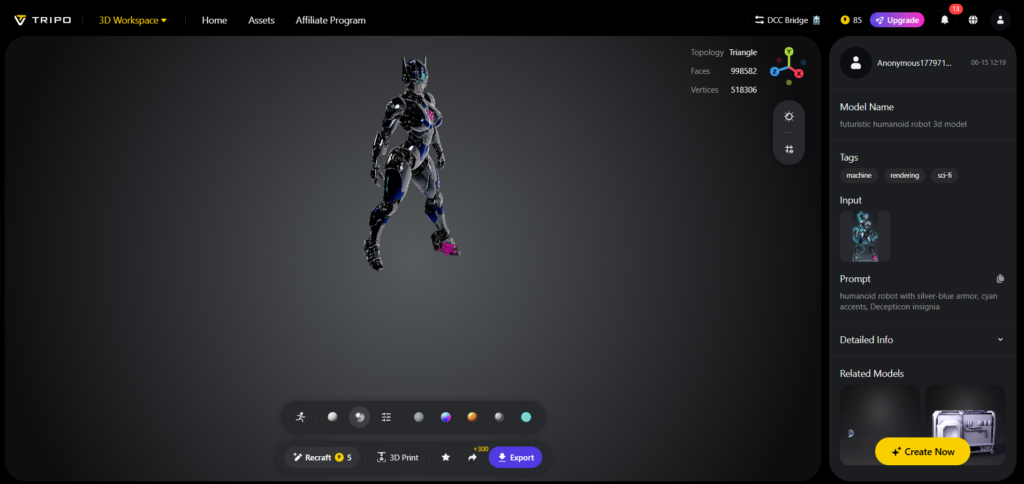
- You can 3D print the design, or share it directly by clicking “3D Print”. You can also “Refine” your design right through the bottom menu.
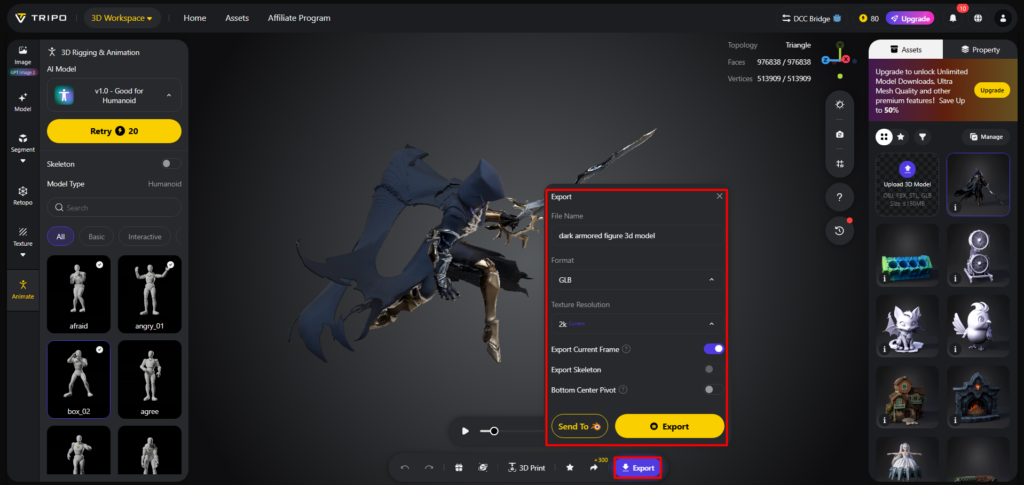
- In the end, click on the “Export” tab from the bottom menu. Next, choose the resolution, format, and filename, and click again on “Export” to save the design to your local device.
- Users may explore assets from free 3d models libraries for quick experimentation.
Components Created During AI Auto Rigging
- Skeleton Framework
- Provides the foundation for movement and articulation.
- Joint Network
- Defines rotation points and controls movement across limbs.
- Skin Binding
- Connects vertices to bones to support smoother deformations.
- Rig Hierarchy
- Organizes bone relationships to facilitate animation control.
- Export Structure
- Converts packages, skeletons, and weights to transferable asset formats.
Advantages of Motion-Ready Models Generated by Tripo 3D
Motion-ready outputs reduce the amount of setup complexity in the animation pipeline. Tripo 3D generates stable rigs for an array of character designs. This consistency can support more stable deformation during movement testing. Production teams are able to have shorter iteration cycles on multiple assets.
Character types like humanoids, animals, and stylized models are given adaptive rigging logic. The deployment of a rig is made quicker, which makes animation experimentation more accessible. Artists can try out motion styles without having to build skeleton systems. This flexibility can aid in iterative design processes between projects.
Exporting and Using Motion-Ready Assets
Tripo 3D will export to popular formats such as FBX and GLB. These formats include skeletons, weights, and mesh information in the transfer. Assets work seamlessly in Blender, Maya, Unity, and Unreal Engine settings. All platforms can read rig structures for animation and simulation workflows.
When necessary, imported rigs can still be refined in external software. Adjustments can include weight painting corrections or joint repositioning. Exported assets remain editable and can be refined further when needed. This versatility is great for beginners and more complicated production pipelines. Final assets can be used across a variety of visualization and interactive platforms.
Conclusion
With mesh-to-rig conversion, static models are converted into animated digital characters efficiently. Tripo 3D makes this process easier with AI-integrated automation solutions. All rig creation, skinning, and export stages are part of one workflow. The quicker the processing, the more experimentation and iterative asset development will be possible. Motion-ready models can help accelerate animation-focused projects across various industries.